Too much to leave under phone-only control. Used too often to lock away.
That is the space we’re exploring: the ease of an everyday wallet, with signing authority held on separate hardware.
An ambition to test, not a recommendation to put meaningful balances in this prototype.
Everyday paymentsConvenience first
Active self-custodyMeaningful balances. Frequent use.
Long-term savingsDeliberate, infrequent spending
The whole picture. In one place.
A wallet for signing. A home for everything around it.
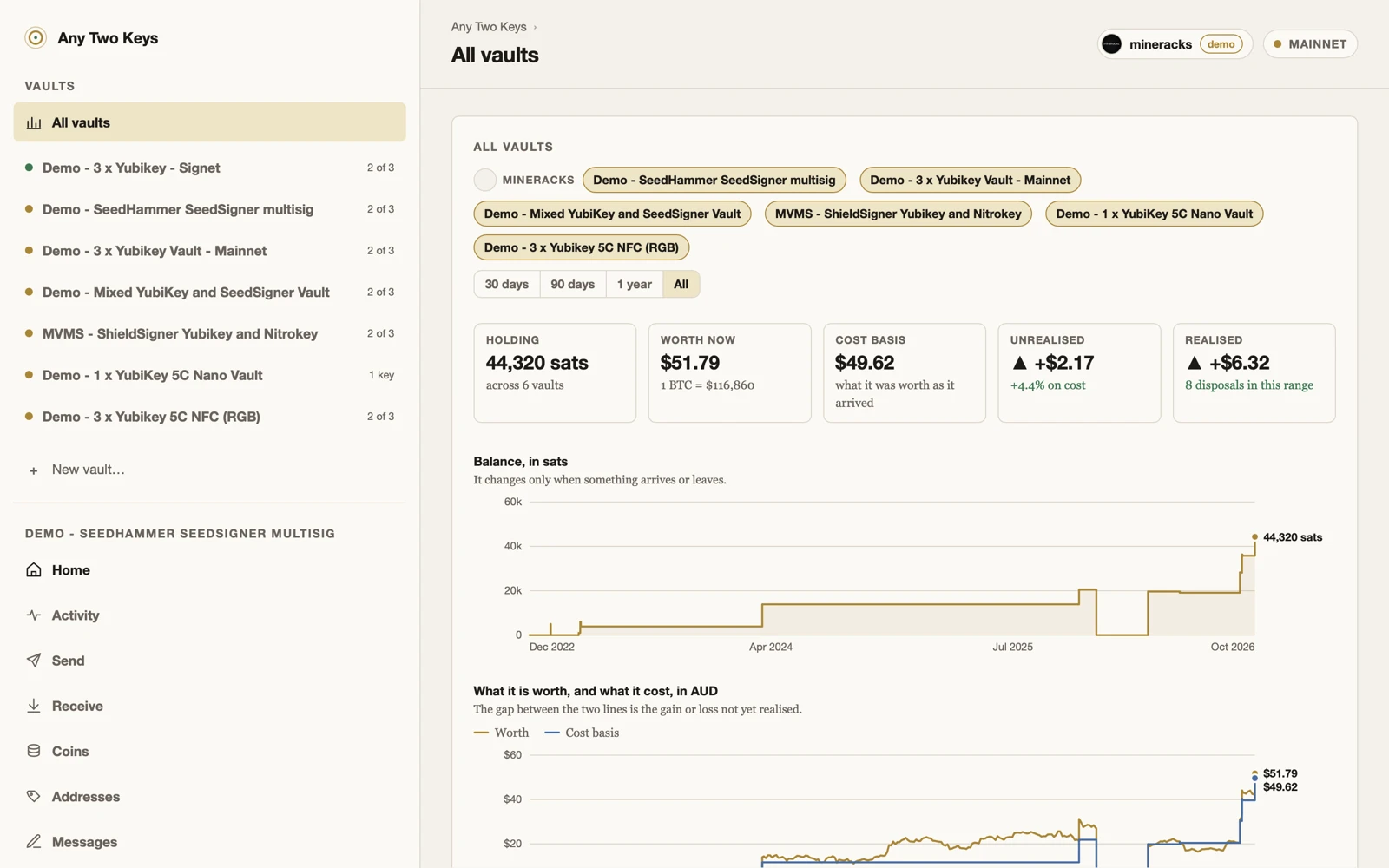
See your vaults together. Follow balances and transaction history. Keep track of coins, addresses and the records that make them meaningful.
Current app · demo profile. Portfolio figures are examples, not performance claims.
Choose your vault.
Start with 2-of-3, choose a different threshold, or bring a screened signer into the mix. Single-key mode is available too, with a different security trade-off.
Know your coins.
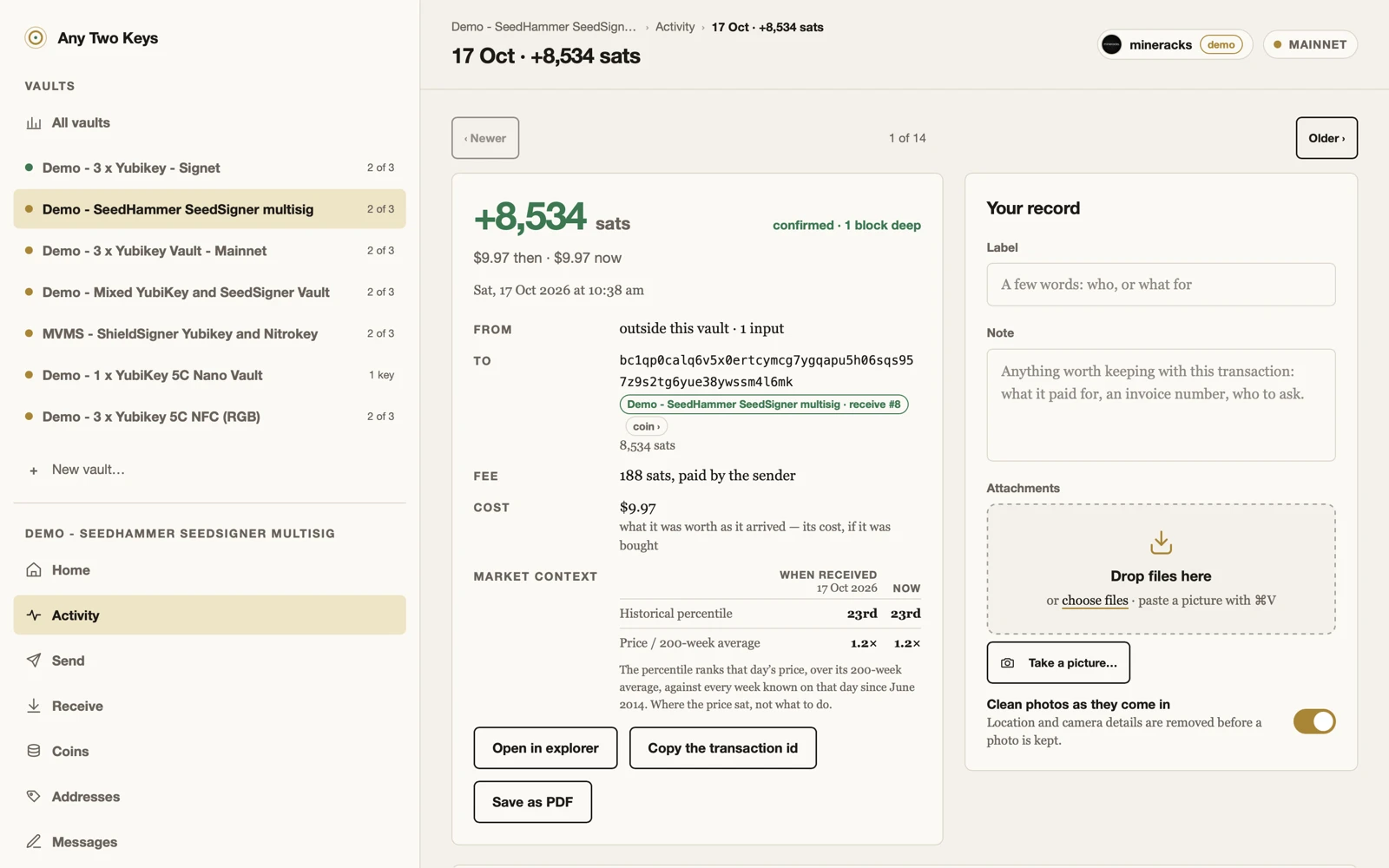
Inspect individual coins and addresses, review transaction details, add records and export them as PDFs.
Keep things organised.
Separate profiles, group vaults by entity, and record where keys are kept. Recovery and import tools help bring existing wallet information together.
One port. Two approvals.
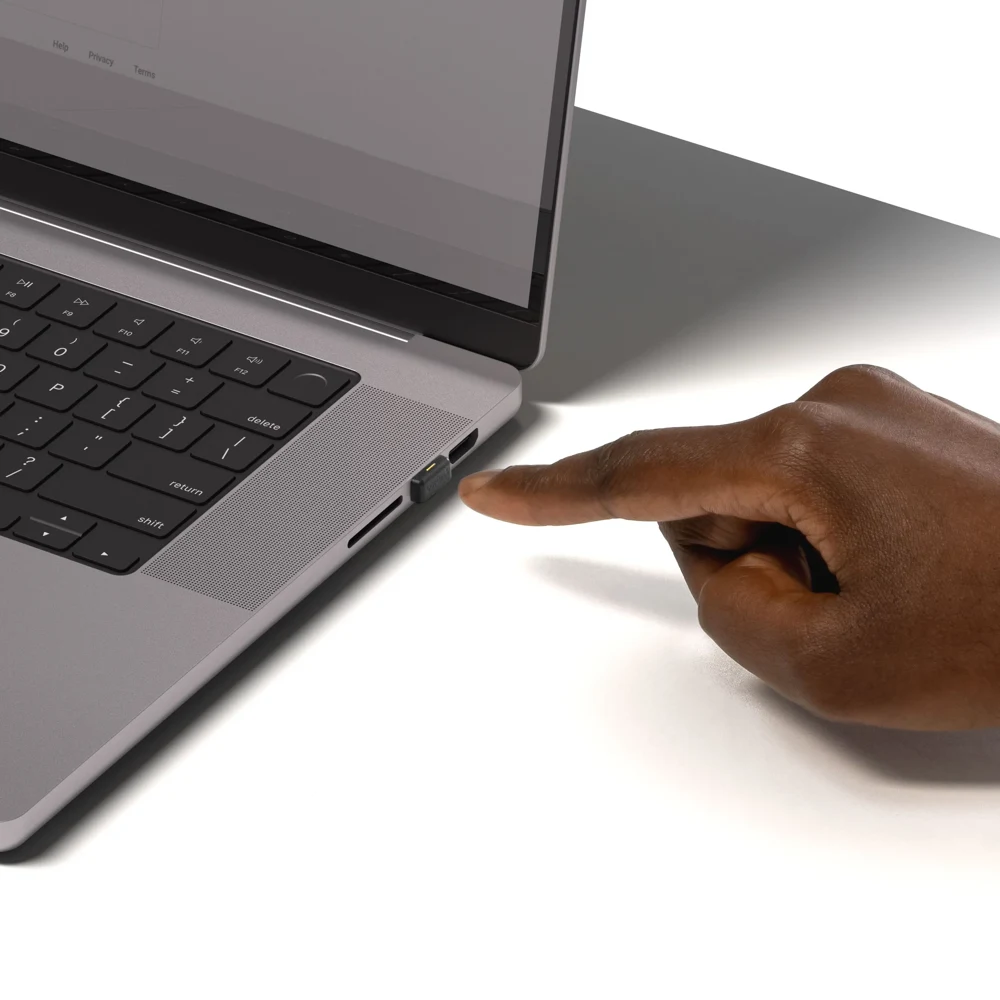
The app prepares the transaction. The keys make the signatures. Plug them in one at a time.
Real hardware. A physical action for each signature.
Prepare
Enter the destination and amount. Review the outputs and fee in the app.
Approve twice
Insert a key, enter its PIN and touch it. Repeat with any second key.
Send
The wallet combines both signatures and broadcasts the transaction.
The Bitcoin signing key is generated inside the card’s OpenPGP applet. The app asks the card to sign; it does not receive the private key.
At setup, seal a PIN-protected share of the vault record onto each key. Any two shares rebuild the record on a fresh device. Spending still needs two signatures.
2 / 3
The vault can be restored.
Two sealed keys, their PINs and compatible software. The original computer is replaceable.
Illustration only. Toggle the keys to explore the threshold. Never enter a PIN or seed on this website.
Seal all three. You cannot choose which two you will have later. The recovery sheet offers an additional way to retain the public vault record.
The record is not the private keys. Recovery reconstructs the wallet information. It does not export the signing keys or replace a lost PIN.
A compromised host cannot supply a physical touch. It can change the transaction behind the request you approve.
What the hardware adds
The private signing key stays on the card.
The configured fixed touch policy requires a physical action.
One stolen key cannot satisfy a 2-of-3 vault.
What it cannot tell you
Whether the host is showing the true destination and amount.
Whether an approval request is malicious.
Whether the whole wallet implementation is free of bugs.
Bring a screen into the signing path.
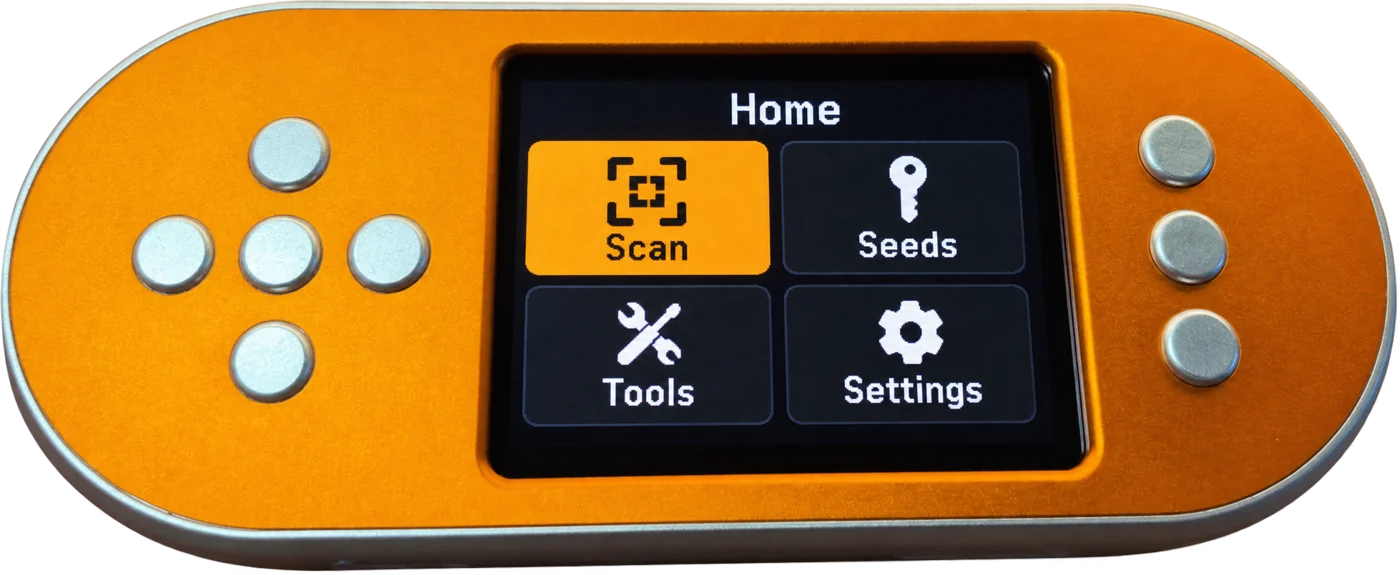
A mixed vault can include a screened signer such as a SeedSigner. Check the transaction on that device when it participates.
In ordinary 2-of-3, it is optional. Two security keys can still sign together without the screened device. Merely adding a screen does not make it mandatory.
For the documented setup, use three non-FIPS YubiKey 5 series keys with firmware 5.2.3 or later. You can mix supported shapes and connectors.
Signing uses USB, not NFC. A FIDO-only security key is not a Bitcoin signer.
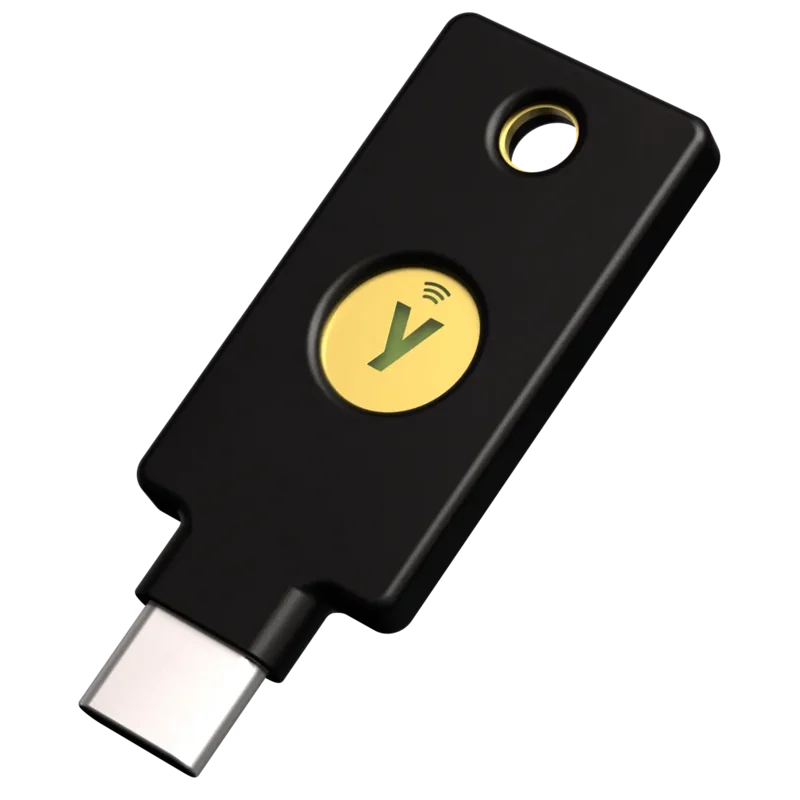
Yubico
YubiKey 5C NFC
USB-C · on-card signing
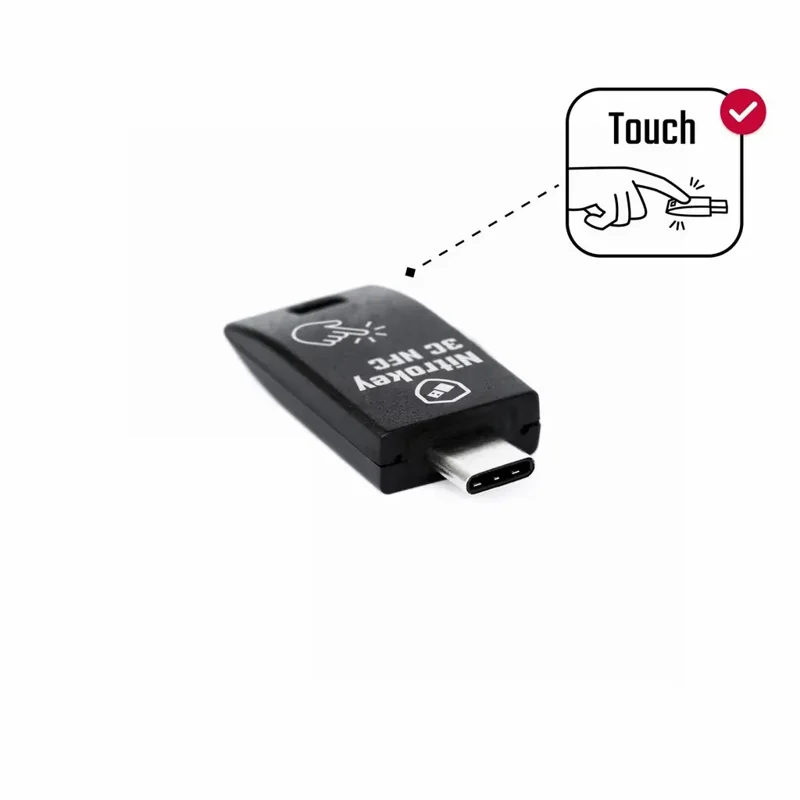
Nitrokey
3C NFC
Signs, seals, updates its firmware in the app
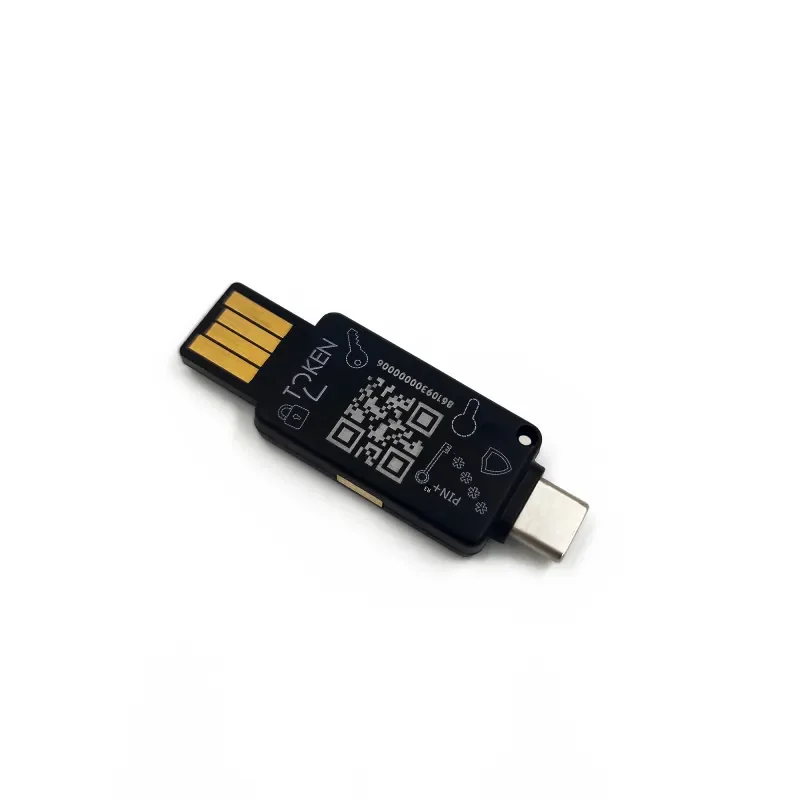
Token2
PIN+ Dual Release3.3
USB-A + USB-C · release support to confirm
SeedSigner Plus
A screen in the mix
Review and sign by QR
Different makers. One vault.
YubiKey + Nitrokey + SeedSigner = 2-of-3
A mixed-vault configuration to explore. Use any two enrolled signers. Verify the exact hardware and firmware for your release; a screen protects transaction review only when its signer participates.
Documented hardware compatibility
Hardware
For this setup
YubiKey 5 NFC / 5C NFC
Supported series · use USB
YubiKey 5C / 5Ci / 5 Nano / 5C Nano
Supported series · check the device connector
YubiKey Bio / Security Key / 5 FIPS / 4 and earlier
Not supported for this signing setup
Nitrokey 3C NFC · firmware 1.9.1
Tested on one key: signing, sealing and in-app firmware update
Token2 / other OpenPGP keys
Confirm exact model and firmware before purchase
Released for Apple-silicon Macs today; iPhone, iPad and Android, including GrapheneOS, run the same app and reach testers by invitation. Check your USB connector before buying hardware.
Labels, notes and attachments belong with the transaction.
Optional encrypted sync carries your records between your devices. A new device can join a profile using an enrolled key and its PIN. The storage host receives encrypted records.
Sync is off until you enable it. Export your labels, or choose a compatible storage host. Your Bitcoin signing keys stay on the hardware.
Current app · demo profile. Your records sit beside the transaction.
Free to use. Open to inspect.
Your custody deserves code you can examine.
Any Two Keys is free and open source, MIT, at github.com/mineracks/anytwokeys. Read the code, test the recovery path, report a problem or help improve it.
Open source makes inspection possible. It does not replace an independent security review.
The security key produces the Bitcoin signature itself. It is not simply unlocking a private key held by the app. Only suitable OpenPGP hardware can do this.
Why use an everyday security key?
It is familiar hardware with ordinary work and login uses. Owning one reveals less about a specific Bitcoin use case. That is a privacy consideration, not guaranteed anonymity or proof of a safer supply chain.
Does “any two recover” mean I can forget the PINs?
No. You need two correctly sealed keys and their PINs, plus compatible software. The shares restore the public vault record. They do not recover forgotten PINs or recreate missing signing keys.
Can I use an existing hardware wallet alongside the keys?
The app supports enrolling a screened cosigner. A mixed SeedSigner vault is in the reported tests. Confirm the exact device and workflow; a catalogue entry is not proof that every combination has been tested.
Is the code open source?
Yes, MIT: github.com/mineracks/anytwokeys holds the app for every platform, the card driver, the seal and the tests; the releases page carries the Mac build with its hash. The seal format and standalone recovery tool are also published. Open source is not a security audit.
What if the service disappears?
On-card signing does not depend on the sync host. Keep your recovery material and compatible software available. Local records remain exportable. Optional sync still needs a working compatible host, and restoring synced records requires that encrypted data to remain available.
Signed Developer ID Application: mineracks pty ltd (NB859QPG78) and notarised by Apple. Check the hash with shasum -a 256 and the signature with codesign -dv --verify before you open the disk image.